Shoot for the moon from your pocket
MoonWin App brings the black-and-gold lunar lobby to your phone: story shortcuts, a big welcome banner and quick access to slots and live games, ready the moment you open it.



Meet the MoonWin App
The lunar-themed MoonWin lobby, packed into an app that is easy to use with one hand.
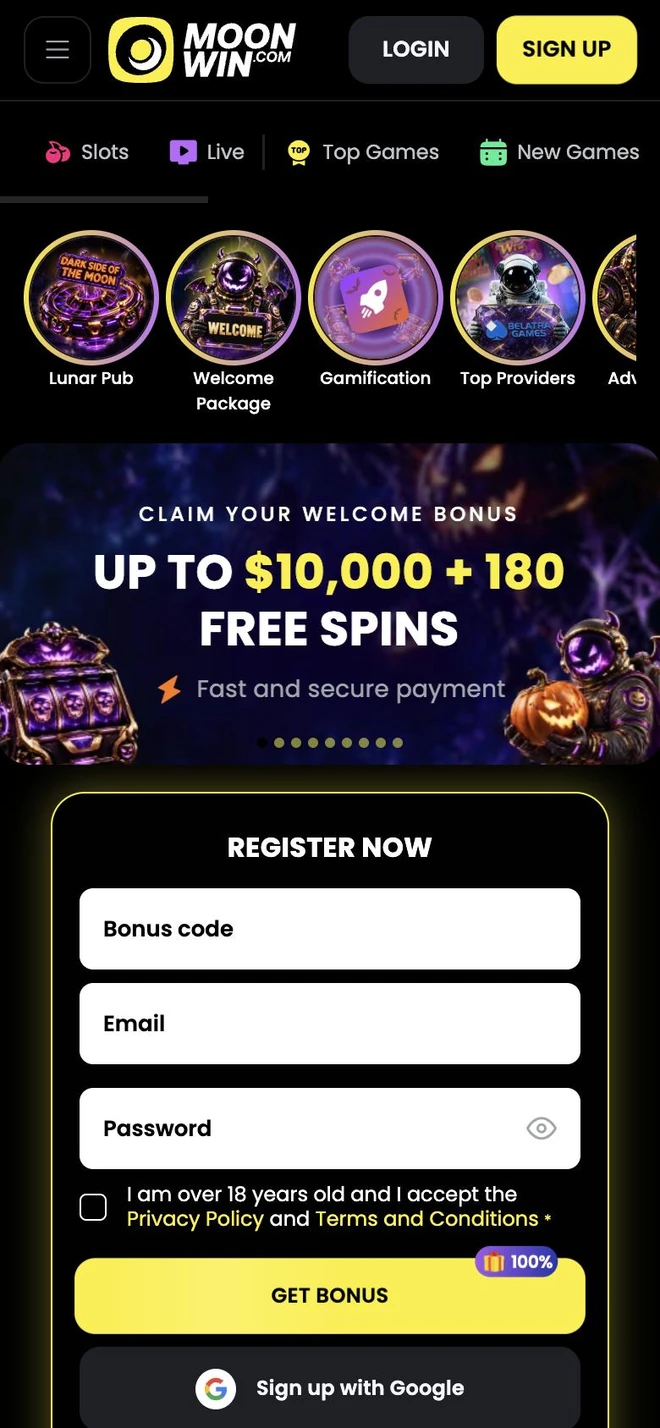
MoonWin App keeps the dark, high-contrast look of the website: black backgrounds, bright yellow buttons and crisp white text that stay easy to read at night or in bright daylight. The menu, Login and Sign Up buttons are always pinned to the top bar.
Right under the header a scrollable strip lets you switch between Slots, Live, Top Games and New Games, and a row of round story shortcuts points to things like the Lunar Pub, the welcome package, gamification and top providers.
Signing in is flexible: use your email and password, or continue with your Google account in one tap. New here? The registration form has a field for a bonus code and the age confirmation built in, so creating a profile takes about a minute.
Each fresh build fine-tunes the interface, adds new collections and strengthens security. Enjoy the games as a pastime, take regular breaks and set limits in your profile whenever you feel it would help.
What you get with the app
Six reasons why MoonWin on a phone feels quick and comfortable.
Slots and live in one place
Switch between Slots, Live, Top Games and New Games from the strip under the header.
Story shortcuts
Round icons lead straight to the Lunar Pub, the welcome package, top providers and more.
Google sign-in
Skip typing: tap Login with Google, or use your email and password as usual.
Timely notices
Stay updated on rewards, new arrivals and cash-outs, and switch off what you do not need.
Bonus code at sign-up
Have a promo code? Enter it right in the registration form before your first deposit.
Limits on demand
Set deposit caps, session reminders or a timeout from your profile whenever you like.
A home screen that gets you going
Category tabs and round story icons sit at the top, followed by the welcome bonus banner and a Register Now form. Bonus code, email and password fit on one screen, and Sign up with Google is right below.
- Slots, Live, Top Games and New Games tabs
- Story icons for the Lunar Pub and the welcome package
- Register Now form with a bonus code field
Top picks and recommendations
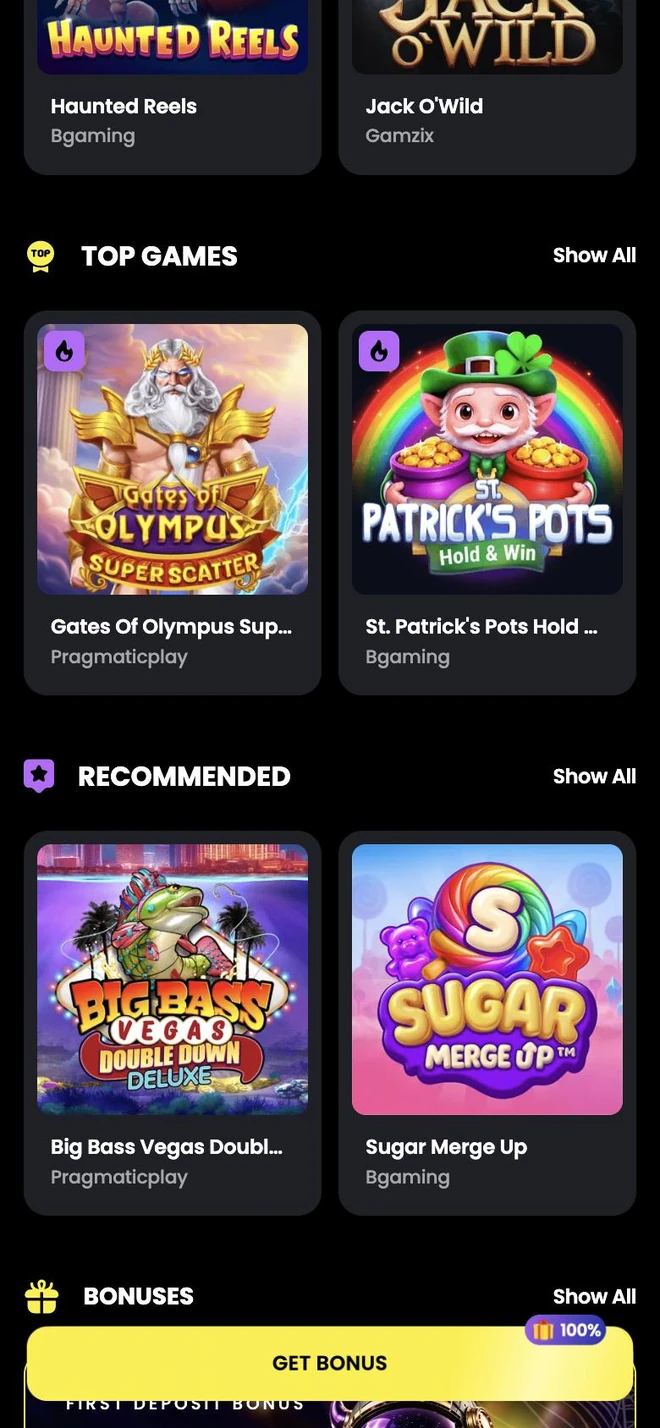
Scroll down for curated sections such as Top Games and Recommended. Each card shows a large cover, the game name and its studio, popular titles carry a flame badge, and Show All opens the complete list.
- Two-column cards with studio names
- Flame badges on trending games
- Show All link for every section
Log in your way
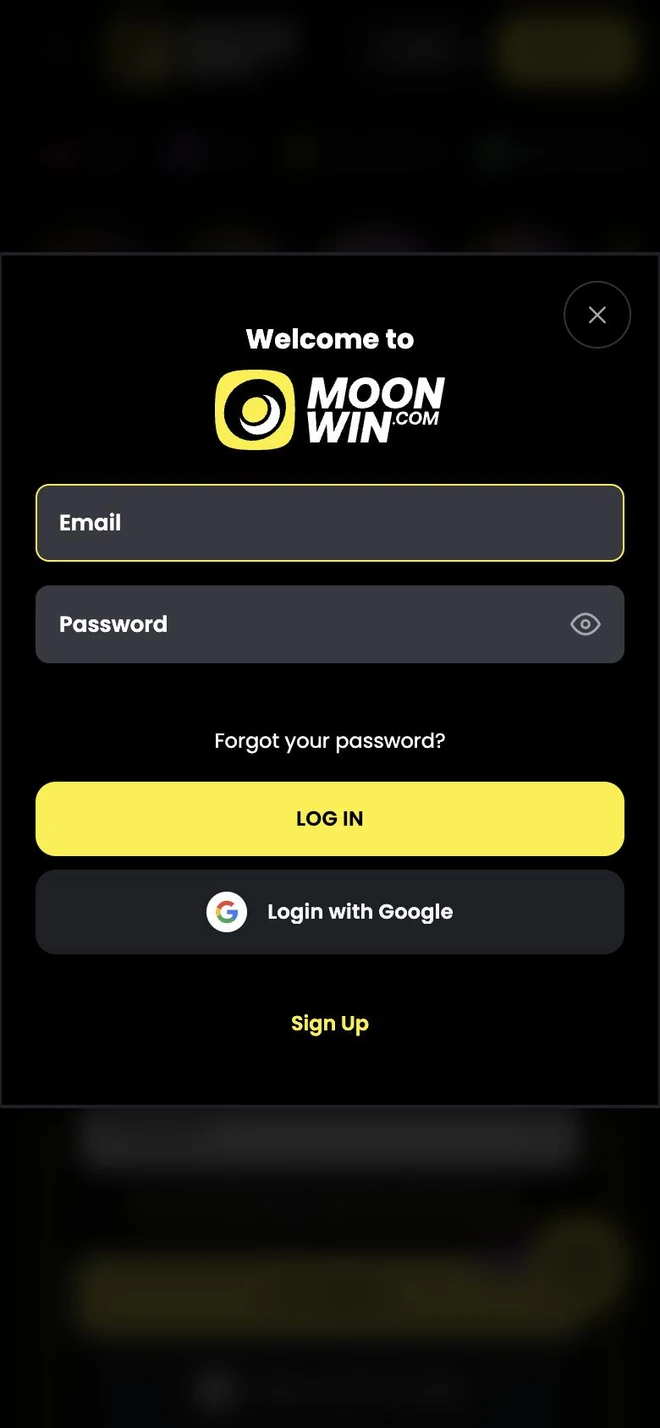
The Welcome to MoonWin window offers email and password with a show-password toggle, plus Login with Google for a one-tap entry. A Forgot your password? link and a Sign Up shortcut cover every other case.
- Email and password with a visibility toggle
- Login with Google button
- Password recovery and Sign Up links

Notifications that matter
Hear when a reward lands, a new game arrives or your cash-out progresses. Choose which topics reach you and pause the rest at any moment.
- Rewards and tournaments
- Cash-out and profile news
- Per-topic on and off switches
Install guide
Three quick moves and the lunar lobby is yours.
Tap Install MoonWin App
Pick any yellow Install button on this page and allow your phone to save the file.
Run the installer
Open the saved file and confirm each prompt. If the phone asks about installing apps from this source, approve it for this file only.
Log in and play
Open MoonWin App, sign in with email or Google — or register — and start exploring.
Frequently asked
Where do I download MoonWin App?
Right here — press any yellow Install button and follow your phone's prompts. The app is free.
Will it work on my device?
MoonWin App runs on modern Android and iOS phones and tablets. Keeping your system updated gives the best speed.
Can I log in with my existing profile?
Yes. Use the email and password you already have, or tap Login with Google if you registered that way. New players can sign up in about a minute.
Do I pay anything to install it?
No, installation is free. Deposits and bets are your own choice and follow the MoonWin rules.
How do I get a newer build?
When a newer build is published, the app shows a notice on start. The build currently offered is listed in the footer of this page.
Is my balance shared between phone and desktop?
Yes. It is one profile, so your balance, bonuses and history are the same on every device.
Is it safe to sign in?
The connection is encrypted, and you control access with your password or your Google account. Our Privacy page has the full picture.
What if the app will not open?
Close it fully, reconnect to the internet and check that the newest build is installed. Still no luck? Message our support team from the Support page.
How can I keep my play under control?
Deposit caps, reality checks, timeouts and self-exclusion live in your profile. The Play Responsibly page explains each tool and lists help organisations.
Still curious? Ask our support